Welcome to the official Vlly Unity SDK! The Vlly Unity SDK is an open-source project, and we'd love to see your contributions! This SDK works with Unity 2021.3.19 and higher. If you need another versions supported please open an issue on Github.
Window > Package Manager.Add package from Git URL.https://github.com/tremayne-stewart/vlly-unity.git#main, and then click Add../Packages/manifest.json"com.vlly.unity": "[<https://github.com/tremayne-stewart/vlly-unity.git#main>](<https://github.com/tremayne-stewart/vlly-unity.git#main>)"To start capturing clips with the Vlly Unity Library, you must first initialize it with your API Key. You can find your API Key on the homepage of the dashboard.
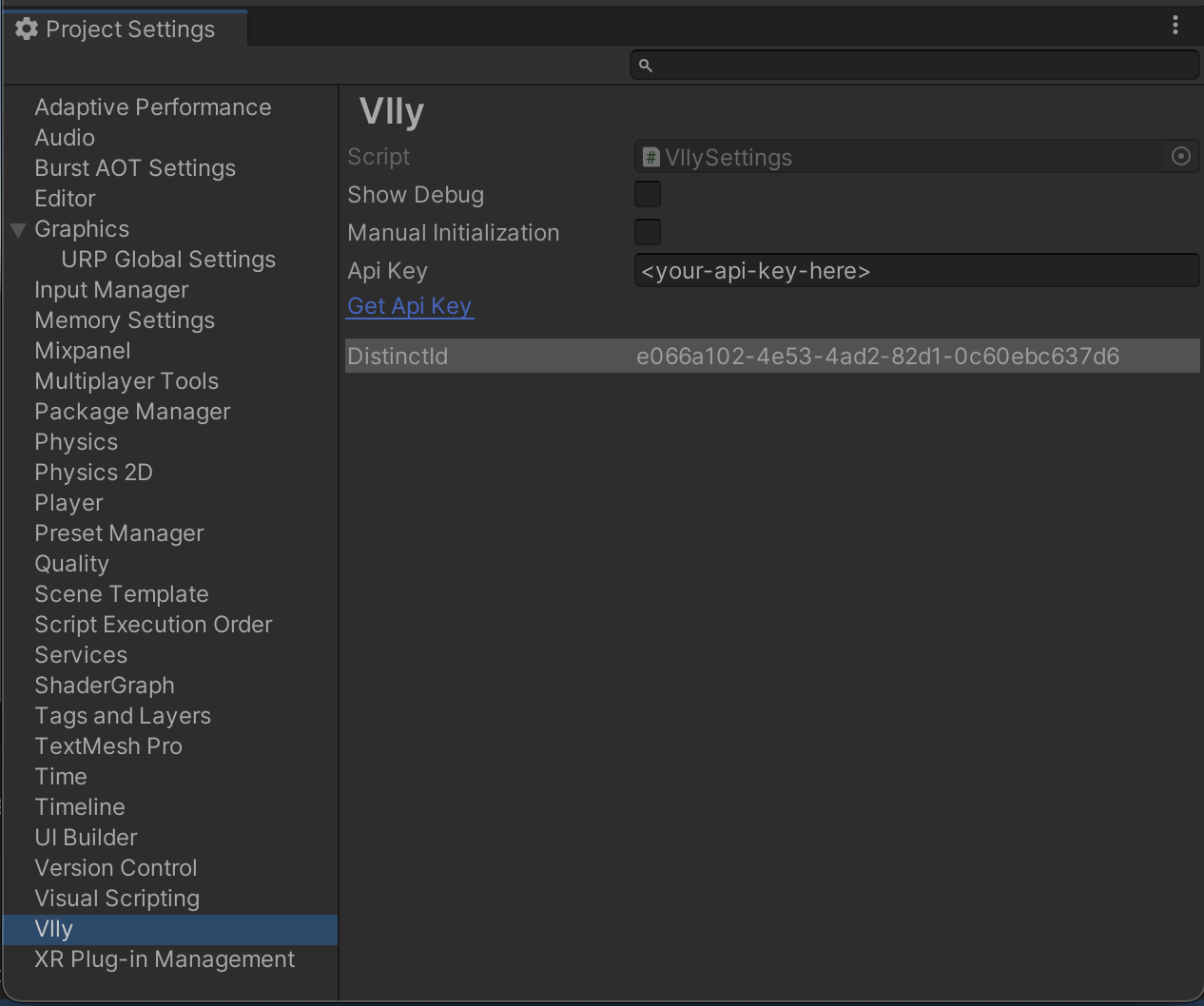
To initialize the library, first open the unity project settings menu for Vlly; click Edit > Project Settings > Vlly. Then, enter your api key into the Api Key input field within the inspector. Please note if you prefer to initialize Vlly manually, you can select the Manual Initialization in the settings and call Vlly.Init() somewhere in a script to initialize.
For Vlly to see what the users sees Vlly needs eyes in your scene.